
Where sign-in fits between install and the cashier
Test passport
- Checked
- 14 Oct 2026 (iPhone, Nigerian IP), after checks on 8 and 13 Oct
- Device
- Phones only: Android Chrome (8 and 13 Oct), iPhone Safari (13 and 14 Oct)
- What we did
- Read the Phone and Email tabs and the password recovery link on a phone
- What we did not do
- No app installed; no deposit, withdrawal, document upload or bet made
For a 1win login Nigeria reader, the sign-in stage is the gate between the shell and the money. Whether you open 1win.ng in Chrome, through the app the site offers for Android or from the iPhone home-screen icon, the next screen that matters is the same form, and until it accepts you the cashier and the “Place a bet” button stay out of reach.
Two things decide how smooth this stage is. First, which detail opened your account. The sign-up form we saw asks for a phone number with +234 and a password of at least 8 characters, so most Nigerian accounts will sign in through the Phone tab. Second, whether you still know the password: there is no Google, Facebook or other social button.
If you have no account yet, start one step earlier: the sign-up stage with the +234 number comes first.
What the 1win sign in form showed
The 1win sign in form is short, and every field on it is listed below as our team saw it.
| Part of the form | What 1win.ng showed |
|---|---|
| Top of the form | Two tabs: Phone, Email |
| Phone tab | Nigerian number with the +234 prefix |
| Email tab | The e-mail address linked to the account |
| Password field | Shared by both tabs |
| Social buttons | None on 14.10 |
| Recovery | “Forgot your password?” link inside the form |
Typing a Nigerian number into the +234 field
A number you normally write as 0803 123 4567 starts with a zero that the +234 prefix already replaces. The usual pattern is to type the ten digits after that zero: 803 123 4567. If the form rejects the number, check this first, then the password.
The Email tab only works if an e-mail is attached
Because sign-up runs on a phone number, an e-mail address is not part of every account. If you never added one to your profile, the Email tab has nothing to match, and the Phone tab is your route.
1win login on the handset, step by step
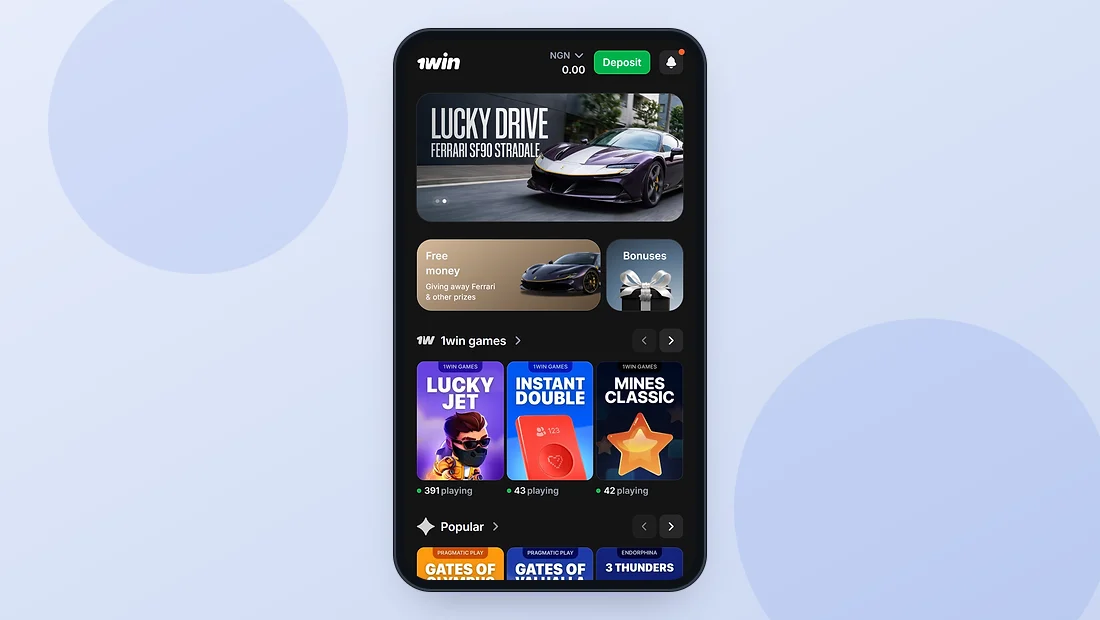
This is the 1win bet login mobile sequence in the order the screens came in our checks. Each step says what to look for before moving on.
- Open 1win.ng in your browser, the Android app or the home-screen icon, and wait until the bottom bar (Menu, Home, Casino, Free money, Sports) appears.
- Tap the login button to bring up the form.
- Pick the tab that matches your account: Phone for the +234 number, Email for a linked address.
- Type the number or address, then the password, checking that the phone’s keyboard has not added a capital letter or a space.
- Confirm and wait for your balance to replace the login button.
- Open the cashier only once the balance is on screen; paying in from the mobile cashier is stage 4 of the route.
Typing the address yourself
People type “1 win login”, “login 1win”, “www 1win bet com login” or “1win bet ng login nigeria” into a search box and tap whatever comes up. The address all three of our checks used is 1win.ng. Type it into the address bar yourself, or use the icon or app you set up from it, before you enter a password anywhere.
Browser, Android app or home-screen icon
The 1win ng login form is the one we saw in the mobile browser. We did not install the Android app the site offers, and we did not add the iPhone icon, so we did not see the form inside either of them.
For the iPhone route, 1win.ng publishes a web app manifest with the name “1win”, display “standalone” and start page “/”. The home-screen icon therefore opens 1win.ng pages in a window of their own rather than a new form built for the app. On Android, the site’s own steps are “Scan the QR code”, get the app onto the smartphone, then “Install it”; how that app handles sign-in, we have not checked. The install window is walked through in the Android and iPhone install routes.
Do not count on a session opened in Chrome carrying over to an icon or an app; expect to sign in once in each.
When the form will not let you in

Most failed attempts at 1win bet login, or at any 1win login on a phone, come down to three causes, and each has a different fix.
- Wrong tab: an account opened with a phone number will not match on the Email tab.
- Number format: a leading 0 typed after +234, or a space inside the number.
- Password: a capital letter added by the keyboard, or a password you no longer remember.
Using “Forgot your password?”
The link sits inside the login form. According to the site, a recovery code goes to the phone or the e-mail you choose; we did not request one. Use the channel you can open on the same handset, so you are not switching devices while the code is valid.
When reset does not help
If the code never arrives or the account seems blocked, the remaining route is support: Menu → Support 24/7 → Online chat, where a virtual assistant lists categories including “Personal account | Verification”. The rules also give [email protected]. On 08.10 no live agent joined our chat within 10 minutes, so write the whole problem in one message. Nobody from support needs your password or your recovery code; never type either into a chat.
Keeping a shared phone safe after sign-in
A session left open on a shared handset gives the next person your balance. Log out from the account menu when you finish, and do not let the browser save your 1win password if anyone else uses the phone. The screen lock protects the tab, app and icon alike.
| Item | What 1win.ng showed | Status |
|---|---|---|
| Phone and Email tabs | Login form, 14.10 | Seen on site |
| No social login | Login form, 14.10 | Seen on site |
| Recovery code by phone or e-mail | Recovery text | Stated by site |
| Form inside the Android app or icon | Not installed by us | Not checked |
Pros
- Two tabs that cover phone and e-mail accounts
- Recovery link inside the form itself
- The same form across the browser routes we checked
Cons
- No social login if you forget which detail you used
- We could not confirm how sign-in behaves inside the Android app
- A live agent did not join within 10 minutes on 08.10
Our verdict on the sign-in stage
7.2/10
Our score · 1win.ng checked on a phone 8, 13 & 14 Oct 2026 · how we score
The sign-in stage gets our Login & account score of 7.2. The form is short, the tabs are clear and recovery is one tap away. Points go for the lack of any alternative sign-in, for the app and icon versions we could not see and for slow live support when recovery fails.
It suits players who opened their account with a +234 number and use one phone for 1win.
Who should skip it: anyone who has lost access to both the phone number and the e-mail on the account, because recovery runs through one of them.
Open 1win.ng18+ · T&C Apply · operator named in the 1win.ng footer: BID Entertainment Limited
What changed on this page
- Page written for 1wins-apk.ng from our checks of 1win.ng on 8, 13 and 14 October; every 1win figure is marked by source.
Found a mistake? Write to [email protected] and we will date the fix here.
FAQ
Can I log in to 1win with my phone number?
Yes, through the Phone tab, with the +234 prefix already in the field. Type the digits after the leading zero.
Is there a Google or Facebook login on 1win.ng?
We saw none on 14.10. The form offers only the Phone and Email tabs with a password.
What should I do if I forget my 1win password?
Tap "Forgot your password?" in the login form. The site says a code goes to your phone or e-mail.
Do I need to log in again on the home-screen icon?
Expect to. Do not count on a session opened in the browser carrying over to an icon or an app.
Who can help if my account is locked?
The 24/7 online chat under Menu → Support 24/7, or [email protected]. Never share your password or code there.